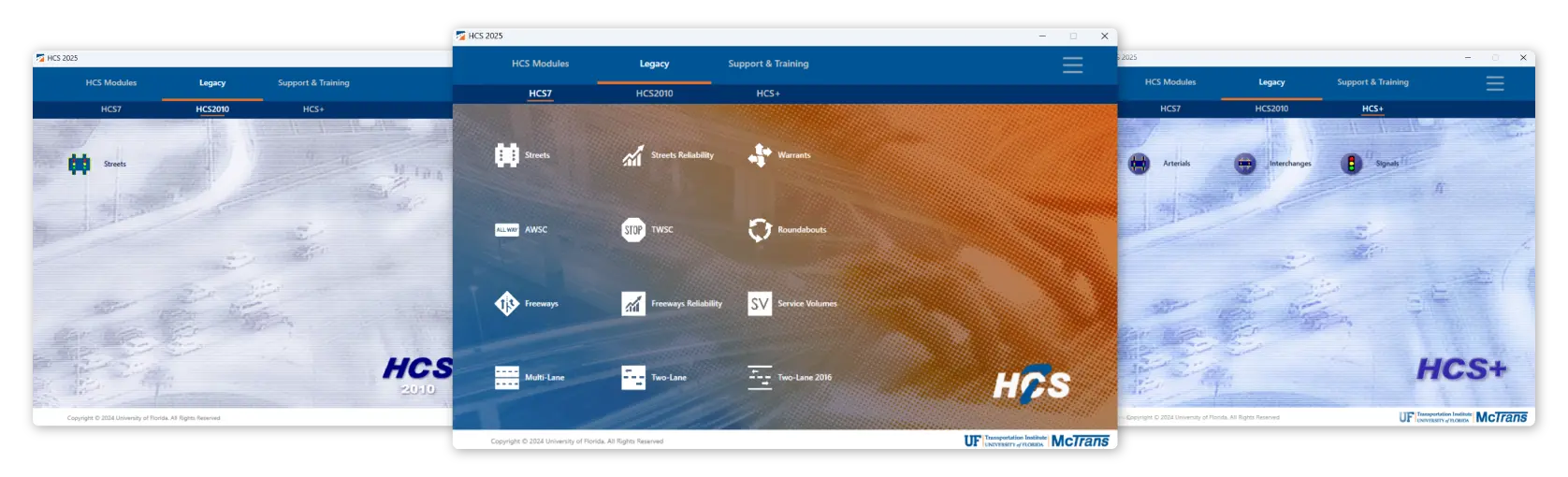
This is the HCS logo

New in HCS 2026

New Version

Explore the new features and improvements in the latest version release.

Freeways

Redesigned Freeway reports

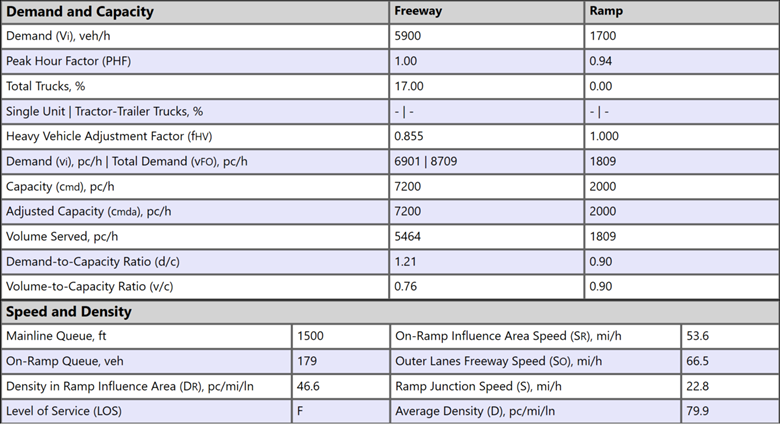
Freeway reports include new outputs, such as Volume Served and Queues, providing quick insights to evaluate and understand oversaturated conditions.

New methods – Freeway Segments (HCM 7.1)

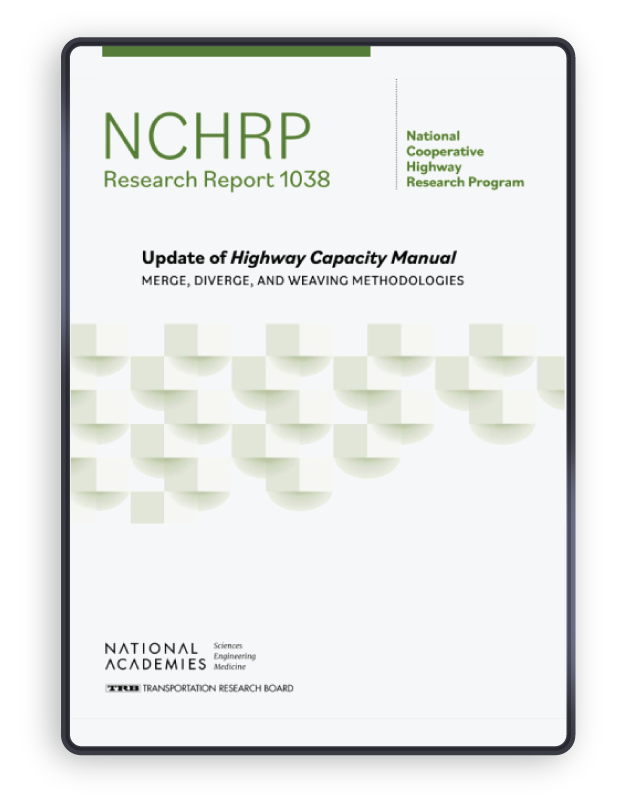
The Freeways module now includes updated methodologies for analyzing merge, diverge, and weaving segments, based on the Highway Capacity Manual (HCM) 7.1, NCHRP 07-26. These new methods introduce a completely fresh approach to evaluating operations within these configurations. One of the major changes in the NCHRP report is the reduction of capacity density to 35 pc/mi/ln. With the latest version of HCS, users can choose between the HCM 7 or HCM 7.1 methodologies for their analyses.
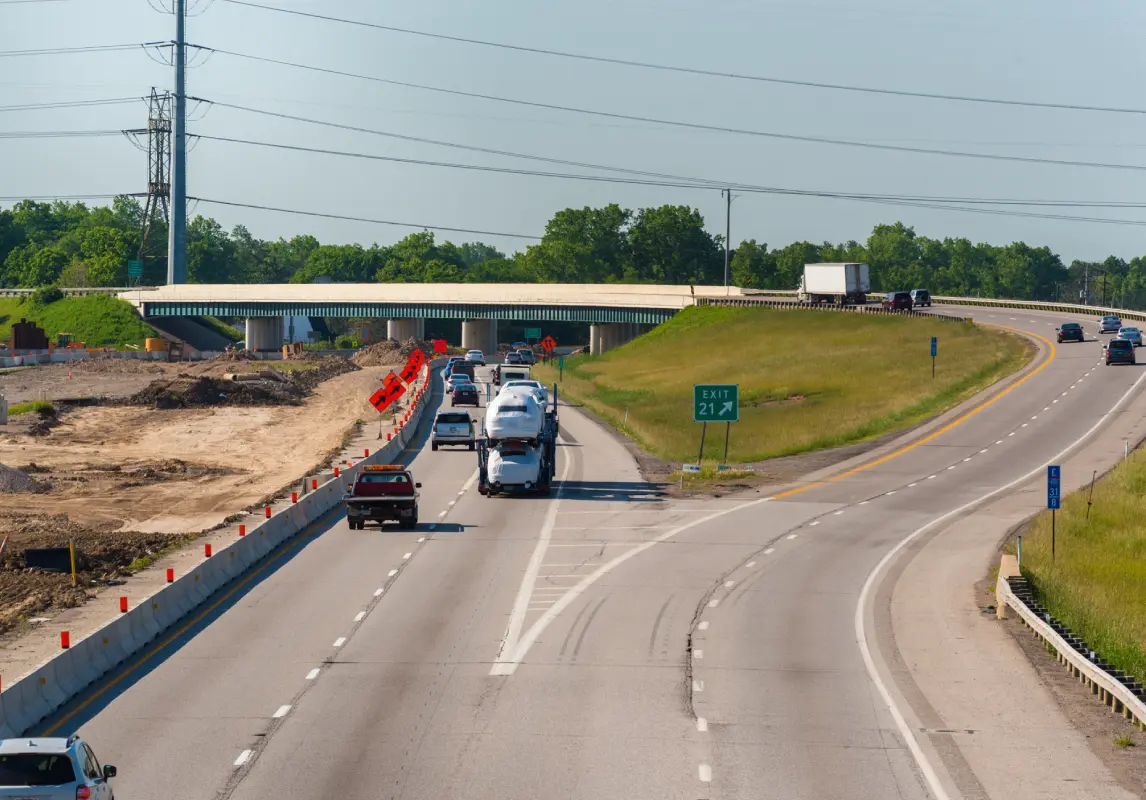
Expanded Lane Add/Drop Configurations

HCS is now able to account for nearly all freeway configurations, including the analysis of lane add/drops for two-lane ramps.

Improved Work Zone Analysis

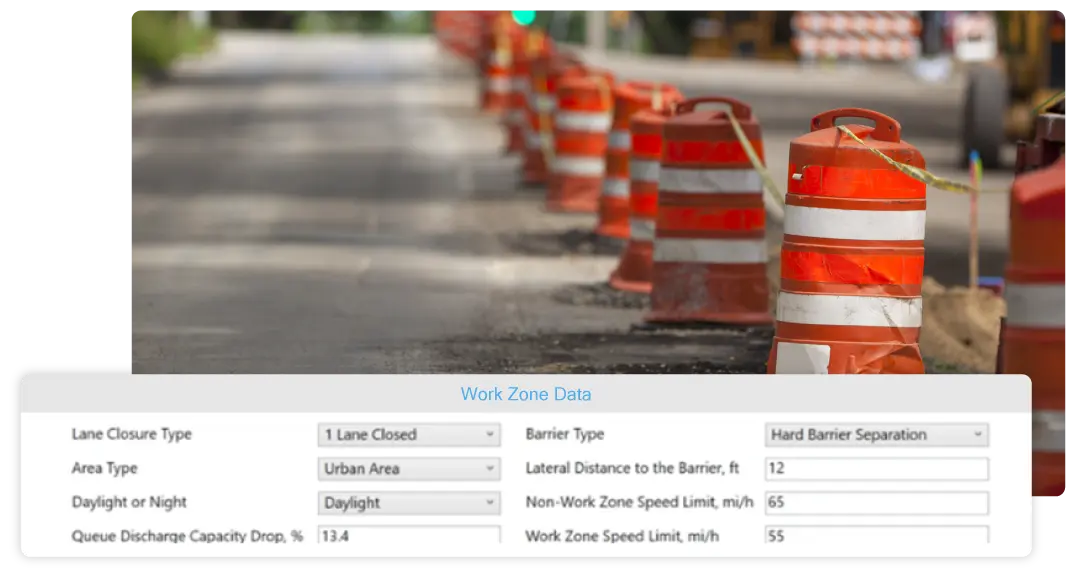
Work Zone Analysis is now available across all freeway modules, including Merge, Diverge, Weaving, and Facilities. This feature implements HCM methods for work zone scenarios, such as shoulder closures, single-lane closures, and two-lane closures, assisting users in decision-making for this complex issue.

In addition to specifying the type of work zone, users can define area characteristics—such as urban or rural settings, time of day (day or night), barrier type, speed, and other variables—allowing for a tailored analysis based on specific conditions.

MUTCD Warrants

MUTCD and HCS 2025 Warrants

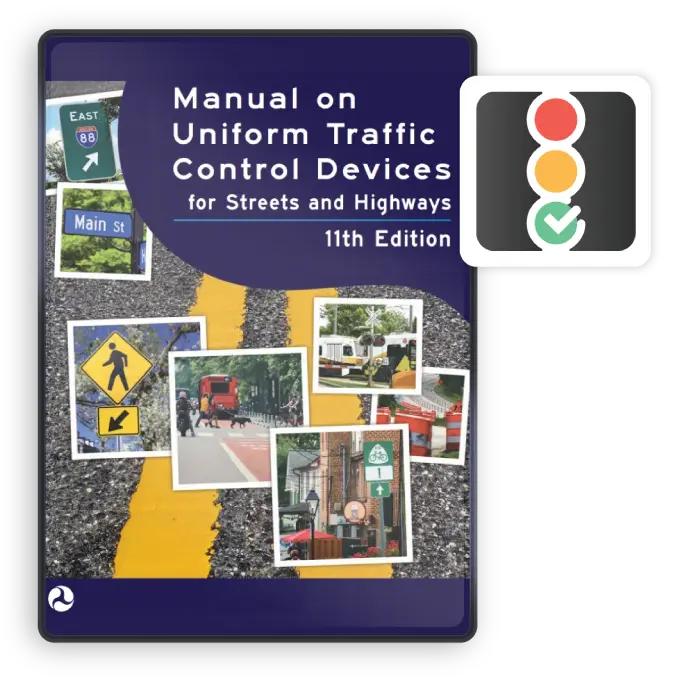
Implementation of 11th Edition of MUTCD

The MUTCD Warrants module streamlines the process of identifying the need for traffic control and is updated according to the new MUTCD 11th Edition (2023). Major changes in the methods include modeling pedestrian refuges more accurately and new criteria for crash history. This new module enables users to quickly determine if an intersection meets one or more criteria for traffic signal installation.

Pedestrian Volume (Warrant 4)

MUTCD and HCS 2025 Warrants

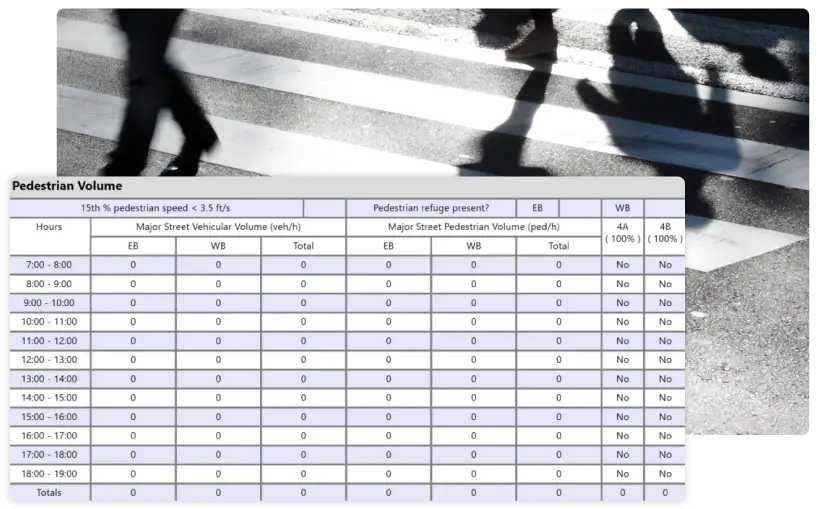
Traffic criteria can now be applied separately to each direction of vehicular traffic when the street is divided by a median that provides a pedestrian refuge. Users can select the specific approaches with pedestrian medians (see figure below), and the software will adjust the analysis accordingly. Additionally, a new checkbox allows the analysis of crossing locations where the 15th percentile of pedestrian speeds is below the threshold of 3.5 ft/s.

Crash Experience (Warrant 7)

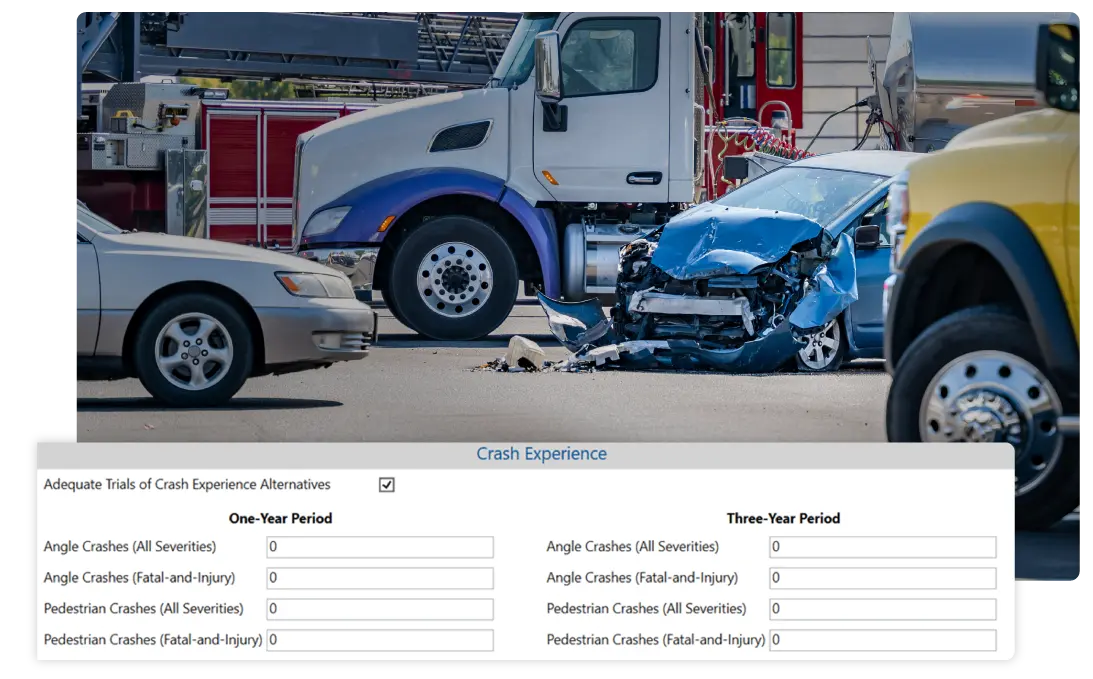
An image of a vehicle with its front end crashed in with a truck in the background and other vehicles.

The updated Warrant now requires, as user inputs, the number of Total Crashes and Fatal-and-Injury Crashes over 1-year and 3-year periods, providing a more comprehensive safety assessment. Additionally, the new inputs are specific to crash types that are most susceptible to correction by installing a traffic signal (angle and pedestrian).​

Updated Final Report

Warrants Final Report

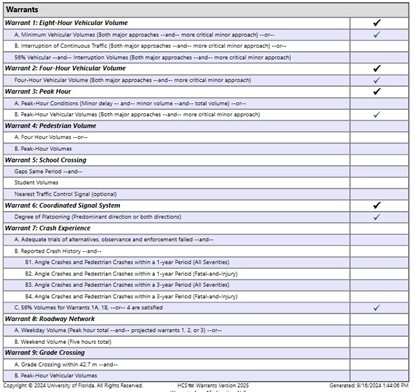
Example report. Click image above for a detailed view

As output, the software generates a final report that provides an overview of the intersection’s characteristics and indicates which warrants are met. The formatted report simplifies the review process, making it easier for professionals to assess the need for a traffic signal, review and submit the traffic study. The Figure above shows an example of the checklist provided by the software. ​​

Highways

Two-Lane Highway Facility Formatted Report

A newly formatted report for Two-Lane Highway Facilities has been added to HCS. This report offers a comprehensive overview of operations across the designed facility, allowing reviewers to quickly access Facility Data such as demand and geometry for each segment. It also includes performance measures such as % Followers, Follower Density, and Level of Service (LOS) for individual segments, as well as overall facility metrics like VMT (Vehicle Miles Traveled), VHD (Vehicle Hours Traveled), Follower Density, Travel Time, and LOS for the entire facility.

Segment-specific formatted reports are also available on the Report page, allowing users to review detailed operations for each individual segment.
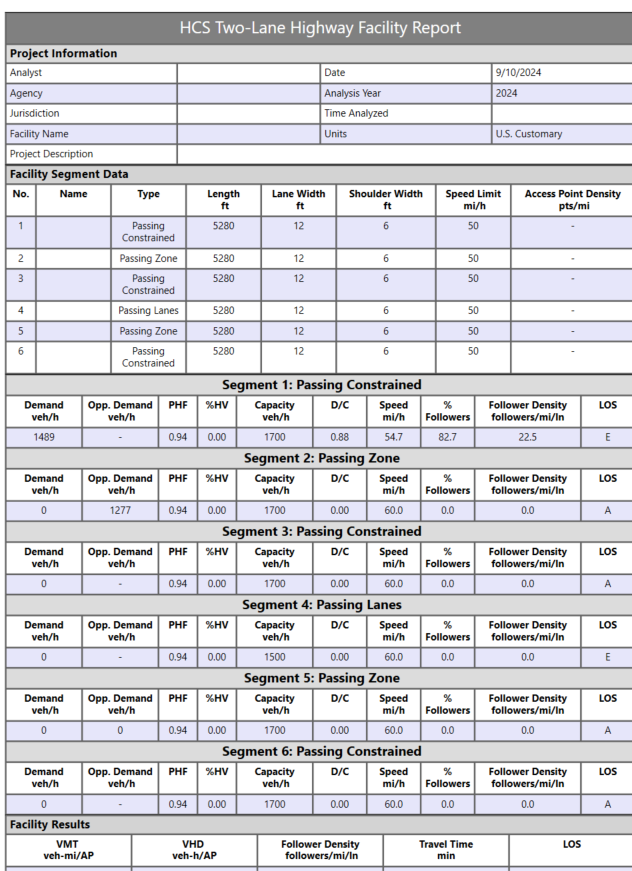
Highways Report

Example report. Click image above for a detailed view

7th Edition of of Highway Capacity Manual (HCM)

Compliance to the 7th Edition of HCM

HCS incorporates methodologies from the 7th Edition of HCM (2022) updates, including:

Can assess the impact of CAVs on signalized intersections, roundabouts and freeways for planning-level applications (e.g., 25 years planning period)

Enhanced pedestrian analysis at two-way stop-controlled intersections and crossings.

New method with wide application for analysis of two-lane highways

New method to evaluate corridors comprised of freeway and streets, including interactions between these different facility types.

Get Started

Icon of overlapping speech bubbles with a gear symbol, representing system settings, support, or technical configuration.

Installation Help

Find information on how to download and install the latest version of HCS.

Icon of a gear with a checkmark, representing system configuration, validation, or successful processing.

Ready to Upgrade?

Upgrade or buy the latest version of HCS.

Icon of a person with a speech bubble, representing user support, communication, or feedback.

Have Questions?

If you have any questions, please reach out to us.

HCS Streets Logo

Streets

  • Adds units to ETT and EDTT on interchange formatted report
  • Fixes upstream filtering factor display on formatted report
  • Fixes blank pages appearing in multiple formatted reports
  • Fixes error when opening files
  • Includes other minor bug fixes and improvements

Icon of a stop sign labeled “TW,” representing the Two-Way Stop-Controlled (TWSC) Module for intersection analysis.

TWSC

  • Adjusts warning message for clarification on probability of queue‑free state
  • Expands RCUT Storage Length maximum
  • Disables PLOS limitation info message when pedestrian analysis is not applicable
  • Fixes pedestrian analysis issues
  • Includes other minor bug fixes and improvements

Icon representing a connected roadway network, indicating the Network Module for analyzing traffic systems across multiple links and intersections.

Network

  • Allows editing of entering volume in first segment of base freeway facility
  • Fixes incorrect node IDs for roundabout segments
  • Include other minor bug fixes and improvements

Heading reading “Map-Based Segmentation for Freeways” with a roadway icon, introducing a feature for segmenting freeway facilities using map-based tools.

Freeways

  • Redesigns reporting of demand and volume served
  • Improves performance of reading large facility files
  • Fixes info message when queue is greater than zero and LOS is F
  • Fixes incorrect demand computed when ramp is over capacity
  • Fixes crash with pasting in calibration table
  • Fixes maximum FFS between global inputs and individual segments
  • Fixes error when opening files
  • Includes other minor bug fixes and improvements

Icon of a curved roadway with a highlighted lane, representing highway or roadway alignment. and representing the HCS Highways Logo.

Highways

  • Adds more inputs and performance measures to two‑lane highways facility reports
  • Adds conversion of HCS Highways files to TSIS‑CORSIM
  • Adds warning message for two‑lane highways when horizontal curve length exceeds circumference
  • Fixes subnodes beyond the segment boundary node in map view
Icon of a curved roadway with a highlighted lane, representing highway or roadway alignment. and representing the HCS Highways Logo.

Highways (cont.)

  • Fixes crash in map‑based segmentation when moving nodes during routing
  • Fixes two‑lane highways follower density legend for high‑speed metric
  • Fixes two‑lane highways speed limit threshold for metric conversion
  • Includes other minor bug fixes and improvements

To view the past version release history, click here.

Continue Exploring HCS

The HCS icon

HCS Overview

Learn more about the features and scope of HCS.

Icon of a person presenting information on a board to a group, representing training, instruction, or presentations.

Training

Explore our in-person or online courses taught by industry experts.

Icon of stacked books, representing learning resources, documentation, or educational materials.

Knowledge Base

Quickly view all available resources, including User Guides, videos, and articles.