





Icon of a person with stylized roadway lines, representing a transportation user or traveler.

New in HSS 2026

New Version

Explore the new features and improvements in the latest version release.

New Pedestrian & Bicycle methods

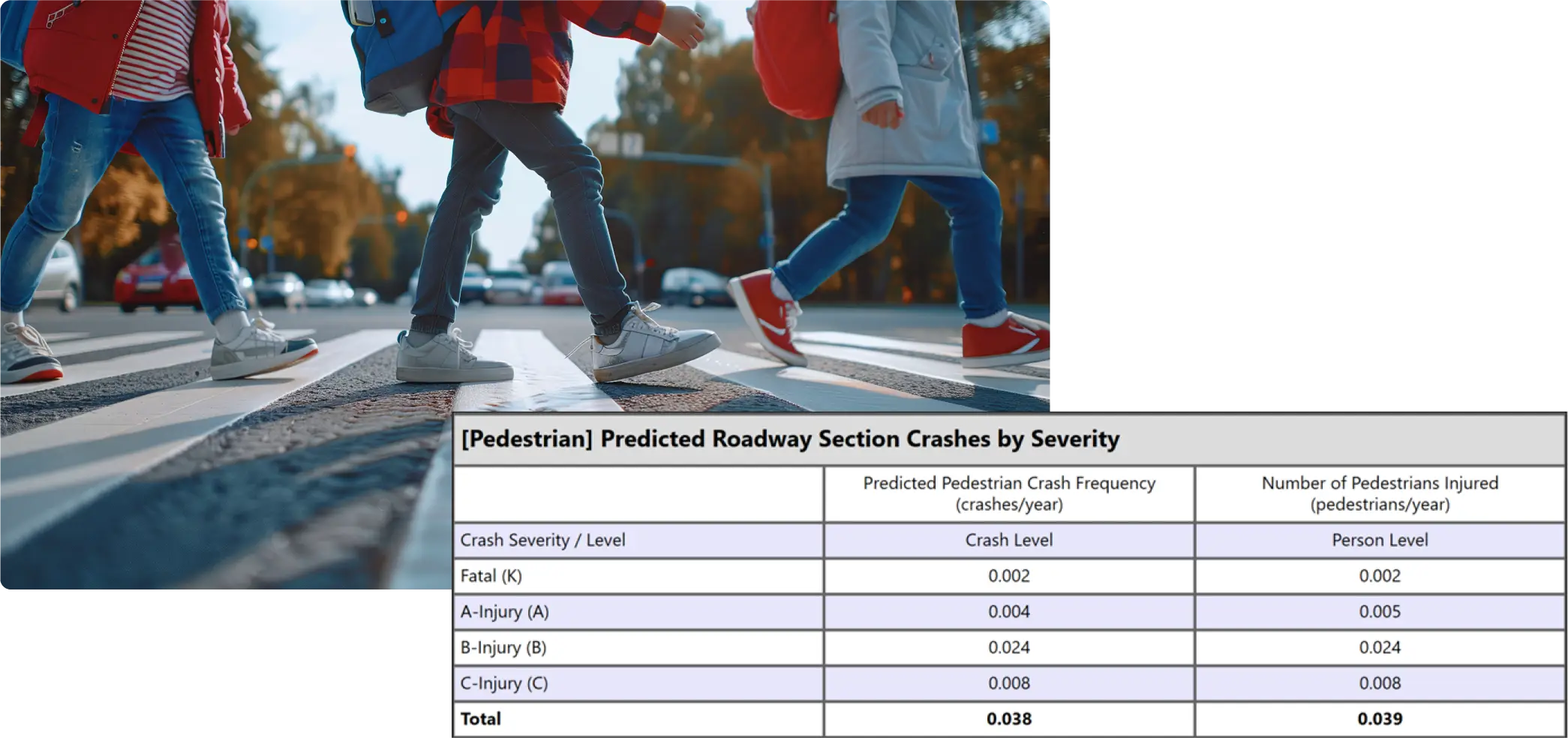
New Crash Prediction Models for pedestrian and bicycles on urban/suburban and rural roads, based on research from NCHRP 17-84. Incorporates the effects of pedestrian and bicycles exposure, available infrastructure, bicycle lanes, crosswalk treatments and much more.

Pedestrians walking across a crosswalk above a table showing predicted roadway section crashes by severity, representing pedestrian safety analysis and crash prediction data.

Map-based segmentation for Rural and Urban Facilities

HSS 2025 introduces a map-based segmentation feature for rural and urban facilities, streamlining the design process by enabling users to build safety networks directly within a map-based platform. This feature simplifies and enhances the creation of safety networks on HSS.

High-Speed Urban Intersections

50 mph speed limit sign on post with a road and tree

This new method covers signalized and stop-controlled (3ST, 3SG, 4ST, 4SG) intersections on urban and suburban arterials with a posted speed limit of at least 50 mi/h. The crash prediction methods implemented in HSS 2025 replicate the findings developed under NCHRP Project 17-68.

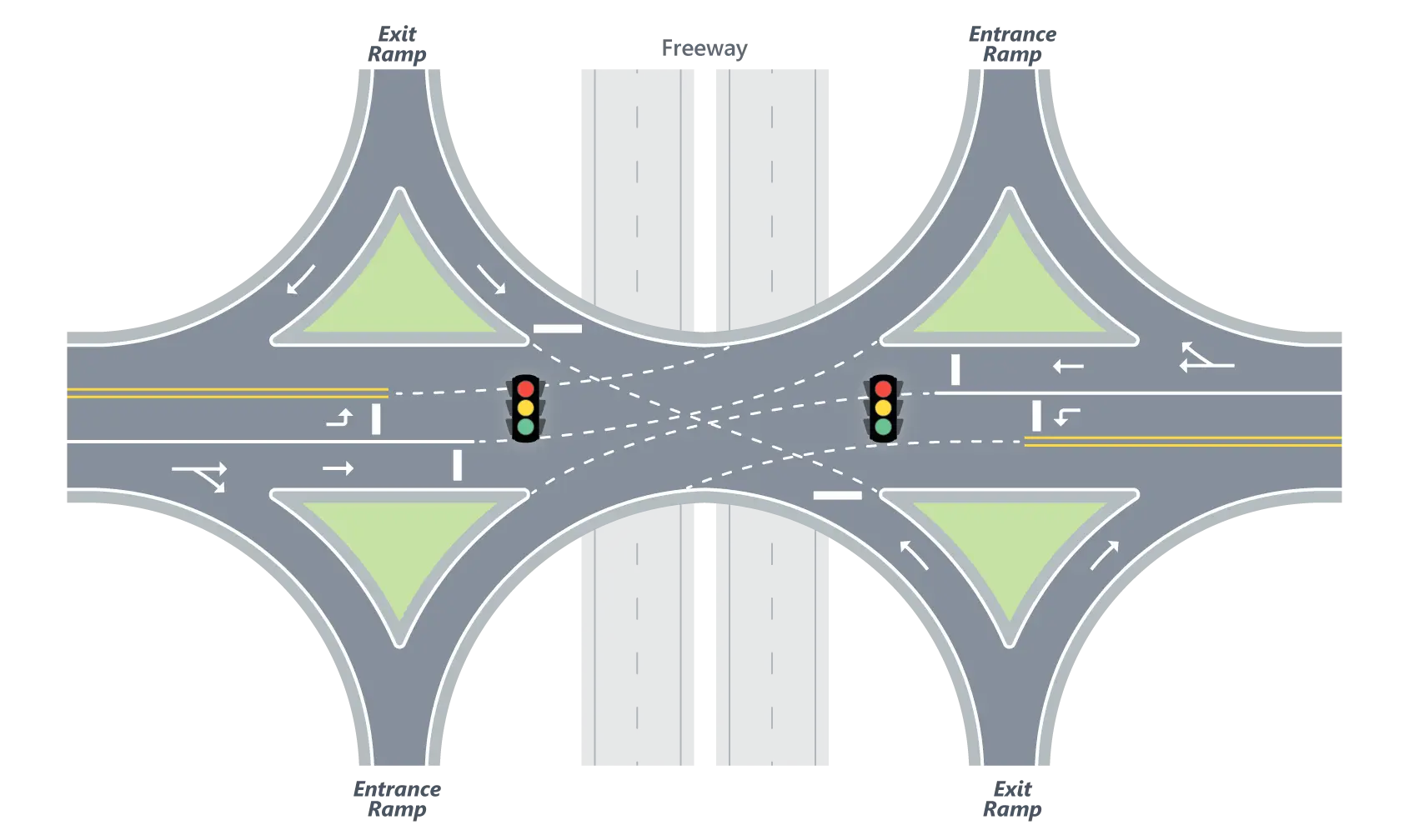
Single-Point Diamond Ramp Terminals

Diagram of a single-point diamond interchange with signalized ramp terminals.

This ramp terminal combines all the ramp movements into a single signalized intersection, eliminating the critical issue of coordinating the operation of two closely spaced intersections. The crash prediction methods implemented in HSS 2025 replicate the findings developed under NCHRP Project 17-68.

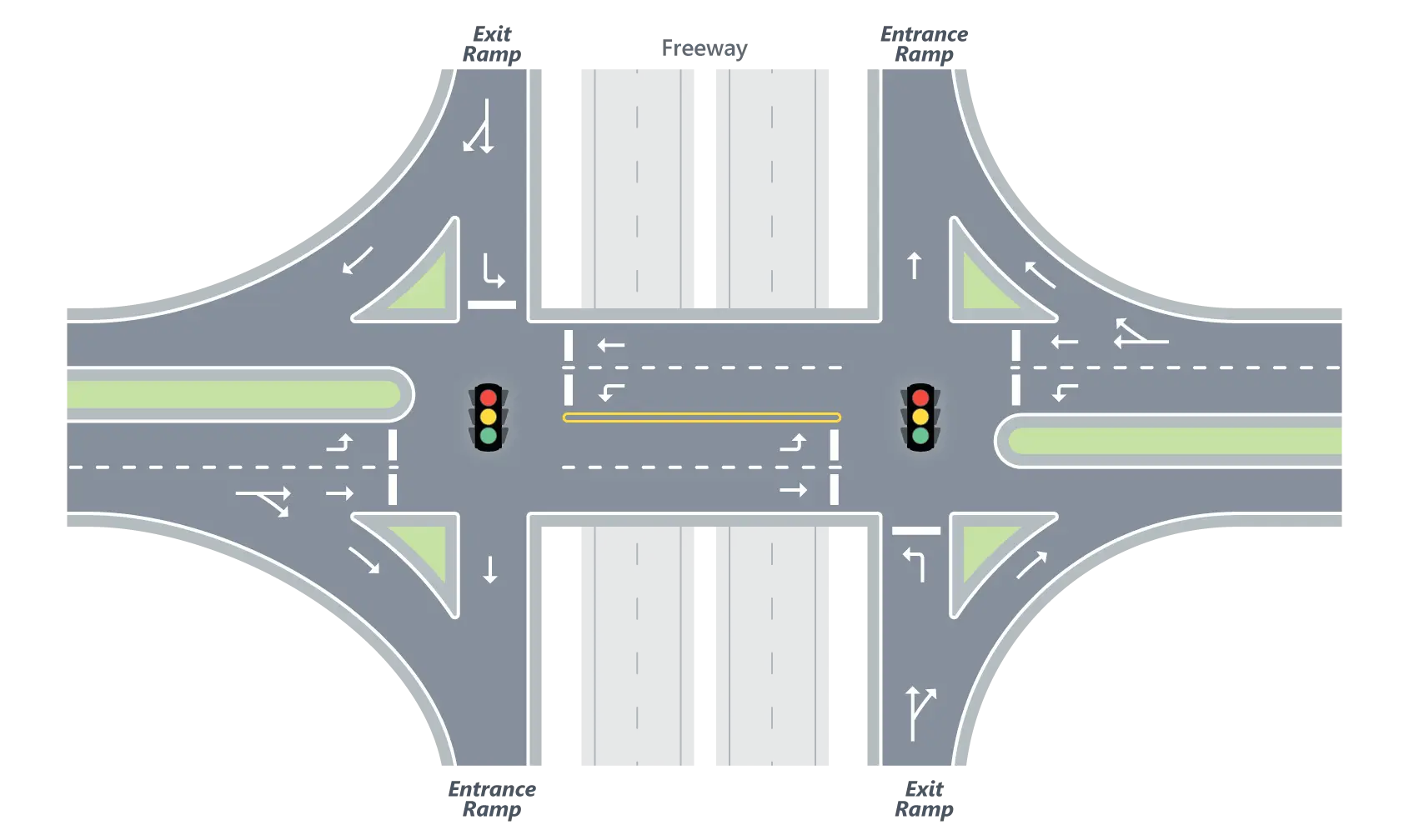
Tight Diamond Ramp Terminals

Diagram of a tight diamond interchange with signalized ramp terminals.

Tight diamond interchanges are a variation of the Diamond design, with the two crossroad ramp terminals being closely spaced (between 200 and 400 ft apart). Due to this proximity, both intersections operate and are evaluated as a road single element. The crash prediction methods implemented in HSS 2025 replicate the findings developed under NCHRP Project 17-68.

Integration with HCS and HSS

Using HSS can streamline your studies with built-in integration between capacity and safety analyses for freeways/highways.

Two McTrans-style icons (road and user) connected by circular arrows over a blurred roadway background.

Get Started

Icon of overlapping speech bubbles with a gear symbol, representing system settings, support, or technical configuration.

Installation Help

Find information on how to download and install the latest version of HSS.

Icon of a gear with a checkmark, representing system configuration, validation, or successful processing.

Ready to Upgrade?

Upgrade or buy the latest version of HSS.

Icon of a person with a speech bubble, representing user support, communication, or feedback.

Have Questions?

If you have any questions, please reach out to us.

  • Adds procedure for Pedestrian and Bicycle Safety Performance Functions (NCHRP 17-84)
  • Upgrades HSS framework to .NET 9 and improves performance
  • Adds section details to export CSV
  • Adds warning messages for curve radius in Freeways analysis
  • Increases range of calibration factor input
  • Increases range of left‑turn lane width ramp terminal inputs
  • Shows total observed crashes in formatted report for EB method
  • Fixes calibration factor for urban segments and intersections
  • Fixes saving of parameters for urban intersections
  • Fixes saving of Approaches with Left‑Turn Lanes
  • Fixes crash in Full View for urban segments
  • Fixes crash with number of lanes when textbox is empty
  • Fixes crash in facility analyses when changing section type
  • Includes other minor bug fixes and improvements

To view the full version release history, click here.

Continue Exploring HSS

Icon of a person with stylized roadway lines, representing a transportation user or traveler.

HSS Overview

Learn more about the features and scope of HSS.

Icon of a person presenting information on a board to a group, representing training, instruction, or presentations.

Training

Explore our in-person or online courses taught by industry experts.

Icon of stacked books, representing learning resources, documentation, or educational material

Knowledge Base

Quickly view all available resources, including User Guides, videos, and articles.